Auto print
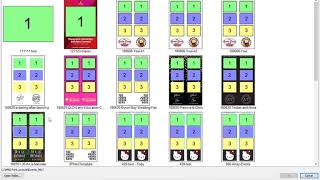
Watches a folder for JPEG and PNG files, then formats them for printing, saving or emailing. Strips, postcards or multi-image layouts.
Read the guideBlack Friday: Remote Pro upgrades $99 · Breeze Booth $399 a year
See all the deals
Products
 Breeze BoothiPad, iPhone & Mac
Remote ProWindows & DSLR
Breeze CloudGalleries & sharing
Breeze FXAI transformations
PaymentsTake payments
HotfolderPrint automation
Compare
Compare Breeze productsWhich Breeze app is right for you Partners & integrationsCameras, payments and booths that work with BreezeBuild
API referenceBuild on Breeze Cloud, FX and licensing Breeze LabsFree design tools for filters/LUTs and booth UI MarketplaceKits, widgets and templates to download Downloads & supportInstallers, older versions, manuals and help TemplatesPrint templates, overlays and AR propsCommunity
Hire an expertCertified Breeze builders for your events Upcoming eventsBreezeCon, trade shows and meetups Facebook groupAsk the community and share ideasDrop it in a folder. It’s printed.
A lightweight Windows utility that watches a folder for new photos and videos, then lays them out, prints them and makes digital copies automatically. Made for event photographers and photo booth owners.
Free 15-day trial · every feature included

Watches a folder for JPEG and PNG files, then formats them for printing, saving or emailing. Strips, postcards or multi-image layouts.
Read the guideReformat images for slideshows or digital sharing, with batch processing for whole folders.
Read the guideTethered cameras, Dropbox or Google Drive, network drives, or folders on the PC. Even Remote Pro and Breeze Booth output.
Read the guideHotfolder can run completely offline, and shares data with your other Breeze apps through standard XML files.
Anywhere photos land in a folder and need to come out as prints.
Buy once, with 12 months of updates included.
$229USD per licence
$129USD per upgrade
Free 15-day trial. Every feature included. Download
25 features. Type what you need or filter by area.
25 features
No match. Try another word, or ask us.
33 guides and 1 video tutorials in the Breeze Hotfolder user guide, always up to date with the latest version.
{eventKiteSessionId} tokenDownload Hotfolder and try it free.